Thursday, August 28, 2014

How to make a LED blinky Guitar Keychain

 Guitar Key chain

Make a cool guitar key-chain which blinks when plugged to a USB or OTG (On The Go) supported phone. I have used a White LED here but you can personalize it with any color.

Difficulty level : Easy

Things you will need :

1. Printed Circuit Board (PCB)
2. 1k Ohm resistor X 2
3. LED (Any color)
4. Hot glue gun
5. Acrylic colors
6. IC 555
7. 22uF electrolytic capacitor
8. Small piece of wires
9. Sand paper

Circuit Diagram : 


#Steps :

Step 1: Cut a guitar using card paper of your desired shape and size. Use this as a stencil to draw on the PCB.


Step 2 : Draw the guitars on a PCB (Make sure there is enough space for the circuit to fit in).


Step 3 : Cut the guitar shape using a hack-saw. Polish the copper side of the PCB with a sand paper till it becomes shiny.


Step 4 : Draw the circuit on the shiny side as shown in the diagram using a permanent marker.


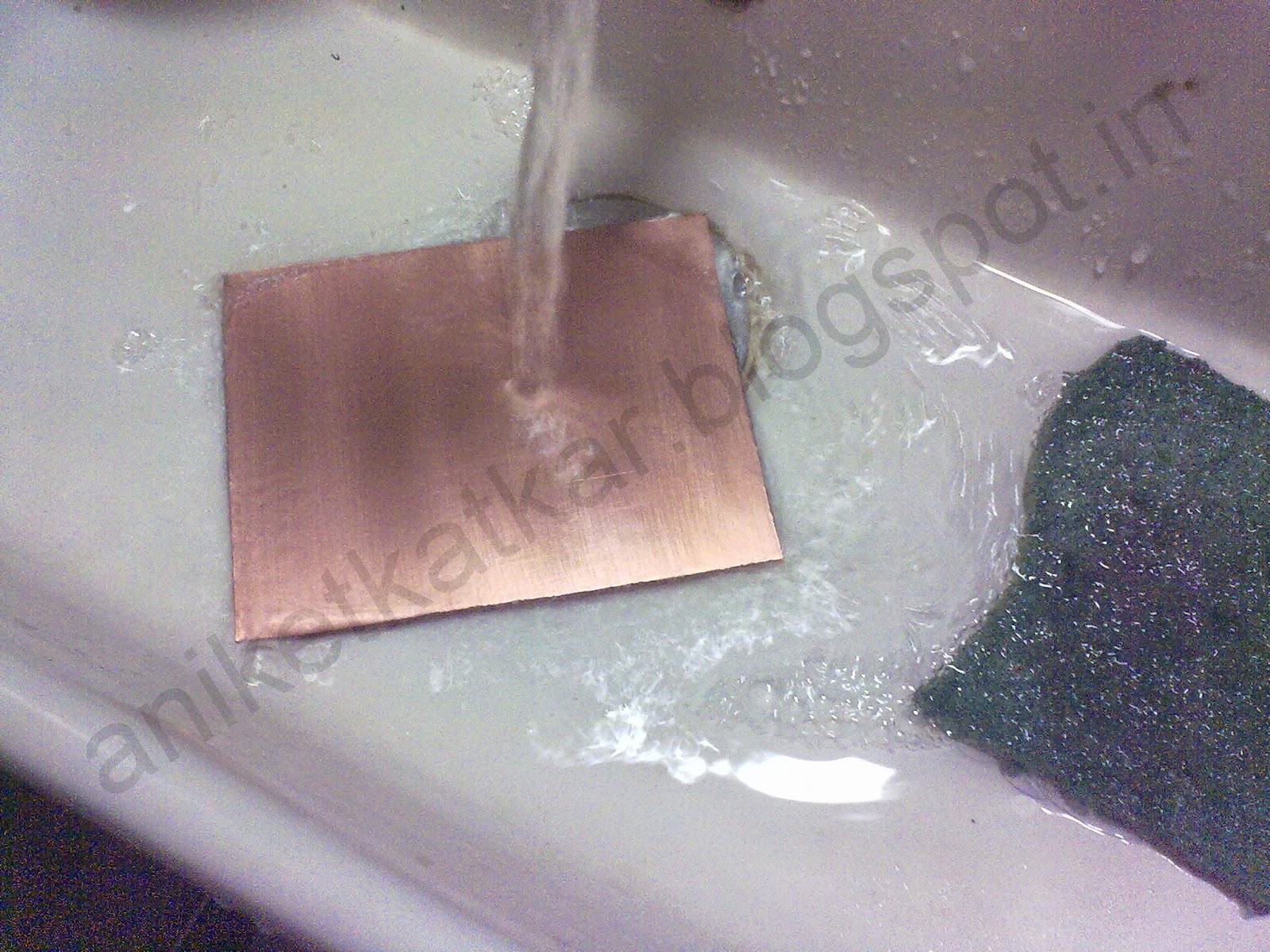
Step 5 : Etch the PCB till all the copper fades out. Rinse the guitar with water. Remove the marker ink with acetone or nail polish remover.


Step 6 : Drill holes for the components.


Step 7 : Place the components in their respective places and solder them.


Step 8 : Paint the solder side with Texture white and leave to dry.



Step 9 : Scratch the surface a little so that the hot glue adheres properly and then cover the whole component side with hot glue. Make sure it is smooth and looks glossy.


Step 10 : Paint the guitar with Acrylic colors of your choice and let it dry.

Final Product
Just plug it in USB port and watch it GLOW!! Attach a chain to tie your keys.

Connected to USB port.


Connected via OTG.

Connected via OTG.

Please SHARE if you like it. Comment if you have any doubts. :)

Please like us on Facebook at www.facebook.com/ArtronicsBlog

Thursday, July 24, 2014

How to make a Seven Segment Display keychain

SSD Key chain

Here's how to make a personalized key-chain using Seven Segment Display. Use it to highlight your Initial or simply use it as a fancy key-chain. It lights up brightly and can be used to search the keyhole in the dark.

Difficulty level : Easy

Things you will need :
1. Seven Segment Display (SSD) Common cathode (CA)
2. 3 volt button cell
3. General purpose PCB
4. 3 volt button cell holder
5. Key-chain
6. Some wire

Pin Diagram : 


Circuit Diagram (For displaying 'S') :


#Steps:

Step 1. Take a general purpose PCB.


Step 2. Cut it appropriately such that the Seven Segment Display(SSD) fits on it.


Step 3. Solder the seven segment display on the general purpose PCB. Care should be taken that the open pins should not get shorted while soldering.


Step 4. Make connections for displaying the alphabet of your choice as given in the pin diagram.


Step 5. Take a 3V battery holder and solder it directly on the PCB with proper polarity.


Step 6.Connect a battery in the holder and check if the the SSD displays the required alphabet.


Step 7. Make a small loop using a wire and solder it on the top to make a holder for the chain.


Step 8. Attach a key-chain and you are almost done! You can color the key-chain as per your choice. Make different alphabets using the chart provided above. 


Note:
-Only the alphabets A, B, C, E, F, H, I, J, L, O, P, S, U, Y and Z can be made using a Seven Segment Display. Other alphabets cannot be displayed.
-Refer the pin diagram of Seven Segment Display to display various alphabets mentioned above.

Comment if you have doubts. Please Share if you like this post :)

LIKE us on Facebook www.facebook.com/ArtronicsBlog

Wednesday, June 18, 2014

How to make a 3x3x3 LED cube


LED Cube

Here is an attractive and unique decorative article you can make that fits on your table and can be used on occasions like Christmas or as a showpiece. This is a non-programmed version. The chip inside produces 512 random patterns until it repeats itself .

Here is the finished video of the LED cube :
http://youtu.be/-TGM-6O2EeU

Prerequisite: Basic soldering knowledge is needed. The soldering is kind of tricky but easy when you understand it.

Difficulty level : Medium

Things you will need :
1. 27 LED's of any color
2. 9 volt battery
3. IC 4020
4. NE555
5. 33k ohm resistor
6. 1uF capacitor
7. Copper plate.
8. Etching materials - Acetone/nail polish remover, sand paper, ferrous chloride.

Following video shows how to etch the circuit on a copper plate
http://youtu.be/Vlui7s4lj7g

Circuit diagram :


#Steps:

Step 1. Take piece of copper plate and cut it in appropriate size.


Step 2. Polish the copper plate with sand paper or scotch bright until the surface shines (This is done to remove the oxidation layer from the surface).


Step 3. Print the circuit given on the glossy side of a Photo paper. Wrap the paper on the copper plate, with the printed side on the copper side of the plate. Tape the corners to make it firm.


Step 4. Press the paper on the copper plate with a hot iron for 5 minutes.


Step 5. Dip the copper plate in warm water as soon as you finish ironing it for 5 minutes (make sure to use gloves as the copper plate will be hot). Keep the plate in water for 5 minutes.

Step 6. Take the plate out of water and remove the paper. The circuit should be printed on the copper plate now as shown in the picture. Rinse the plate in water.


Step 7. Darken the circuit using a black permanent marker.


Step 8. Prepare a solution of ferrous chloride with water in a plastic bowl (3 spoons of ferrous chloride and around 200 ml of water). Do NOT use a metallic bowl and wear gloves as the solution becomes hot and is corrosive. Dip the copper plate in the prepared solution and keep stirring.


Step 9. Continue this process until all the copper from the plate washes away leaving only the marked circuit behind.


Step 10. Wash the black marker lining using Acetone or nail polish remover.


Step 11. Drill holes on the plate as shown in the circuit for components and solder them as shown in the circuit.


For making the LED cube :

Step a. Take a LED and bend the Anode terminal as shown. Bend 27 LEDs in this way and solder them in series as shown.


Step b. Make 9 such strands of 3 LEDs in series. Connect cathodes of all the strands to a common square frame and connect it to Ground using a wire.


Step 12. Take the LED cube and solder each anode of the strand on the circuit, marked 1,2,3,4,5,6,7,8,9.


Step 13. The LED cube will look like this after completion. Connect a switch if needed.


This is a non programmed model. You can use Arduino, AtMega or other micro controllers to create your own design on the cube using Programming. Turn off the lights, switch on the LED cube and see the amazing patterns. Thank you.

Please Comment and Share if you like :)

LIKE us on facebook www.facebook.com/ArtronicsBlog